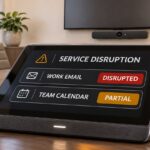
A training business finishes a genuine IT support call. The screen-sharing window closes, staff leave, and tomorrow’s customer enrolment files remain on the classroom computer. Could the technician, or someone using their account, reconnect without anyone accepting a new invitation?
Remote access security depends on the access left behind, not just whether the call ended. An attended support session and an installed background management agent are different permissions. This hypothetical example is not a reported incident, and legitimate remote support is not inherently unsafe.
Remote access security: closing a window is not revoking access
An attended tool normally asks someone at the device to approve a connection. An unattended configuration can allow an authorised operator to return without that local approval. Remote monitoring and management, or RMM, can also run background maintenance and commands. Capabilities depend on the product, configuration and account privileges.
That distinction matters when a technician account is compromised, an old supplier remains authorised, or an employee accepts an impostor’s support request. An attacker does not necessarily need a special virus if an existing management tool already provides the required access.
The joint CISA-led Guide to Securing Remote Access Software, published in June 2023, explains how legitimate tools can be abused for persistence, data theft and ransomware activity. Some portable tools can run with ordinary user permissions. Removing local administrator rights alone therefore does not prove that unapproved remote software cannot execute.
For a business, the possible consequence is more than someone watching the screen. Depending on permissions, access could expose customer records, alter files or deploy software across managed devices. It does not automatically grant every capability or access to every system.
Decide which access your business actually needs
Unattended management supports useful work such as patching and recovery outside office hours. Removing every agent without planning could disrupt those protections. The better question is whether each standing permission has an owner, a purpose and an effective way to revoke it.
- Separate support from maintenance. Document which devices need on-demand approval and which genuinely need unattended administration. Where supported, give monitoring-only accounts fewer rights than accounts that can execute commands.
- Approve the tool and the operator. Keep an inventory of authorised products, supplier accounts and enrolled devices. Require named technician identities, MFA and narrowly scoped permissions. A trusted product name does not establish that today’s connection is authorised.
- Control execution, not only installation. Ask your IT provider how application controls handle portable remote tools. Test the actual policy on a non-production device rather than assuming an installation restriction blocks every executable.
- Put limits around powerful actions. Agree who can transfer files, deploy scripts or control multiple devices. Consider time-limited privilege and additional checks for broad changes, using capabilities your chosen platform actually provides.
Ask for evidence after the session
Request a practical demonstration on a test device: end an attended session, attempt a fresh connection, and show whether local consent is required. For approved unattended access, show which named accounts can reconnect, what they can do and where their activity is recorded.
Then test offboarding. Remove a test technician’s access and confirm that a new connection fails. Identify who can disable the agent or revoke device enrolment if the provider’s normal support channel is unavailable. Keep useful audit evidence outside the remote tool’s own ability to erase it.
These checks are operating evidence, not a guarantee against compromise. Confirm who reviews unusual sessions, newly enrolled devices and unexpected software, and how quickly your supplier must notify you about a suspected incident.
If a connection looks wrong
Stop sensitive activity and contact your known IT provider through independently verified details. ASD’s Australian small-business guidance warns that remote access can let attackers monitor activity and interfere with authentication even where MFA is enabled. If compromise is suspected, isolate the affected device with professional help and preserve relevant evidence. Use a separate trusted device for account recovery; contact the bank immediately if financial information or money may be affected.
Include these access and evidence requirements in your cyber security planning, rather than treating a completed support ticket as proof that access has ended.
References
- ASD’s Australian Cyber Security Centre: Common cyber threats to small businesses.
- CISA, NSA, FBI, MS-ISAC and INCD: Guide to Securing Remote Access Software, June 2023. Practical established guidance, not a new incident alert.