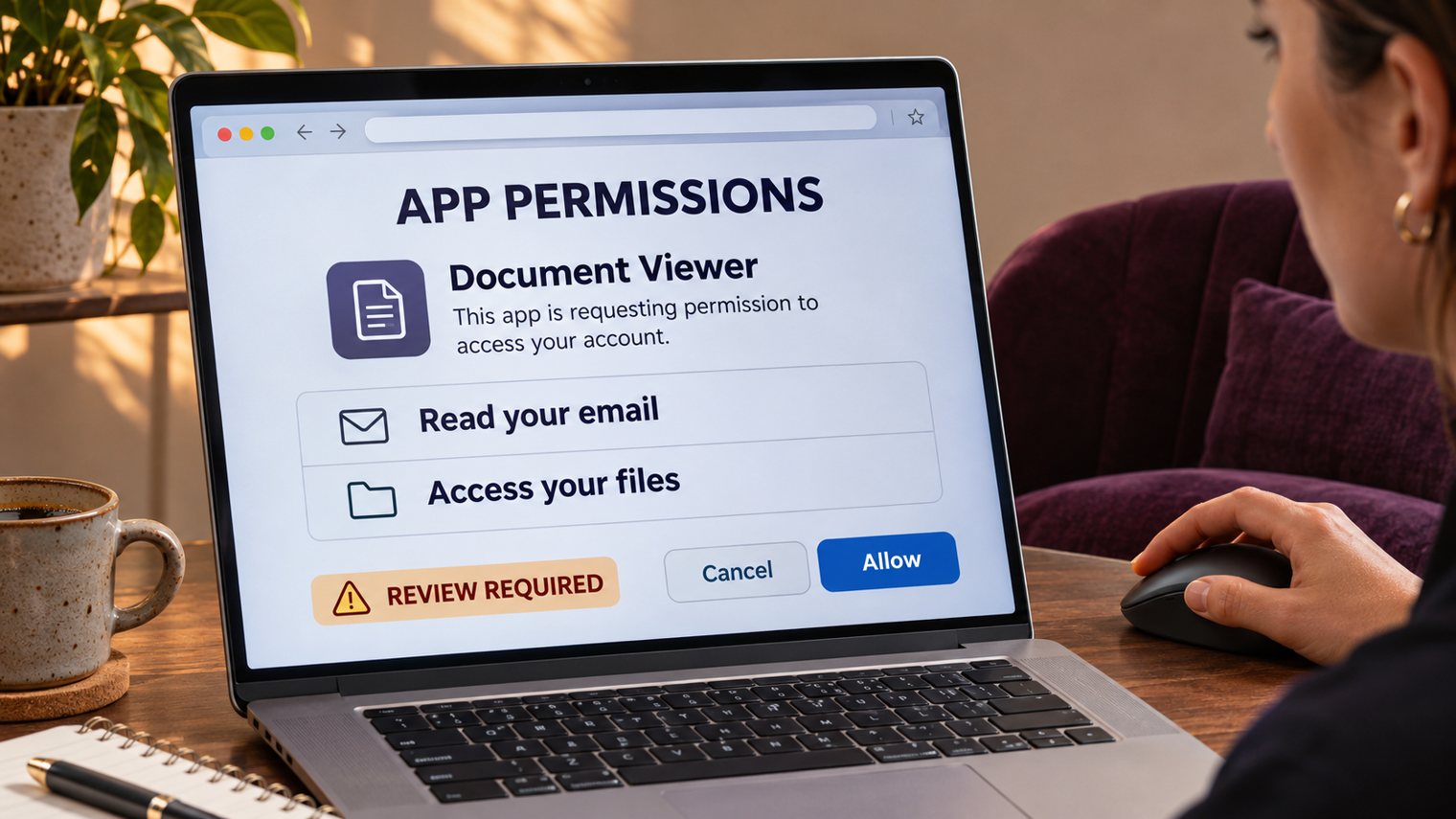
A customer sends a document link. You sign in through a genuine cloud-provider page, complete multi-factor authentication and then see an app asking to read your email. Imagine approving it simply to open that document. The sign-in may be authentic while the access decision is unsafe. This is the trap behind OAuth consent phishing.
For a business, the consequence is more than an unwanted app. Depending on the permissions granted, customer correspondence, shared files or commercially sensitive discussions could become available to an outside application. The important question is not only whether someone signed in successfully. It is who now has permission to use the account’s data.
OAuth consent phishing: the permission is the prize
OAuth lets an application access another service without receiving your password. After approval, the provider issues an access token representing specified permissions. An app may also obtain continuing access through refresh tokens, depending on the grant and provider controls.
In consent phishing, an attacker persuades a user to authorise an application controlled by the attacker. The invitation might resemble a document-sharing request or identity check. The permission screen itself can belong to the legitimate provider. Its genuine address does not establish that the requesting app deserves access.
A request to read mail is not automatically permission to send mail, alter files or access the whole organisation. The actual scope matters. However, even read-only access can expose customer information or provide context for convincing impersonation. A document viewer requesting unrelated mailbox access deserves a separate review, not a quick approval.
MFA proves a login, not a business purpose
Multi-factor authentication remains important. It helps verify the person signing in, but it does not independently decide whether that person should delegate access to a particular application.
Microsoft warns that app names and familiar-looking domains are not sufficient evidence of authenticity. Even a verified publisher does not remove the need to assess requested permissions. Check the exact application, publisher, business requirement and access scope together. A feature that needs one file should not receive wider access merely because approval is convenient.
Put an owner between the request and the data
The business owner decides whether the function is necessary. The IT or identity administrator checks whether the access is proportionate and configures the available consent controls. Neither decision should disappear into a user’s hurried click.
- Set an approval boundary: restrict user consent to defined low-risk cases where the platform supports it. Route sensitive or broader requests through an administrator.
- Record the reason: retain the app identity, publisher, approved permissions, business owner and review date. An attractive display name is not a durable identifier.
- Test with limited data: verify the required feature with a suitably restricted account before exposing a live customer mailbox. A successful test does not prove the vendor’s wider security practices.
Someone already clicked Allow?
Ask your IT or security provider to examine the consent grant and application activity. Follow the platform’s process to revoke inappropriate permissions, block the app where appropriate and address relevant tokens or sessions. Do not assume closing the browser or changing a password has withdrawn the application’s authority.
Preserve the original message, app identity and available audit evidence. Review what the app could access and what the logs actually show, while recognising that logging coverage varies. If money or banking details may be affected, contact your financial institution immediately. Australian organisations can report cyber incidents to ASD’s ACSC and should assess applicable privacy-notification obligations with qualified advice.
Prove the access ended
Evidence should include the removed or restricted grant, the affected application and accounts, and a check of subsequent activity. A clean sign-in screen is not proof of containment. Revoking access also cannot retrieve information already copied. Revisit the consent policy so the next employee faces a controlled decision rather than the same unexpected request.
How Xpansion can support your next step
Xpansion Technologies can help review managed IT and security requirements, connected-app permissions and practical approval responsibilities. Start with a clear inventory of who can access business data, why that access exists and what evidence supports keeping it.
Sources
- ASD’s ACSC: Recover from business email compromise, including reviewing connected applications, account security and reporting.
- FBI IC3: OAuth consent phishing advisory, 1 September 2026. This describes targeted overseas activity, not a measured rate of attacks against Australian SMEs.
- Microsoft: Protect against consent phishing, covering application permissions, consent controls and investigation. Features depend on the platform, configuration and licensing.